
Rocky 10: firewalld keeps its rules in nft, not iptables
Test scope
Section titled “Test scope”Rocky Linux 10.2 VM (minimal install) with firewalld 2.4.0, nftables 1.1.5 and iptables-nft 1.8.11.
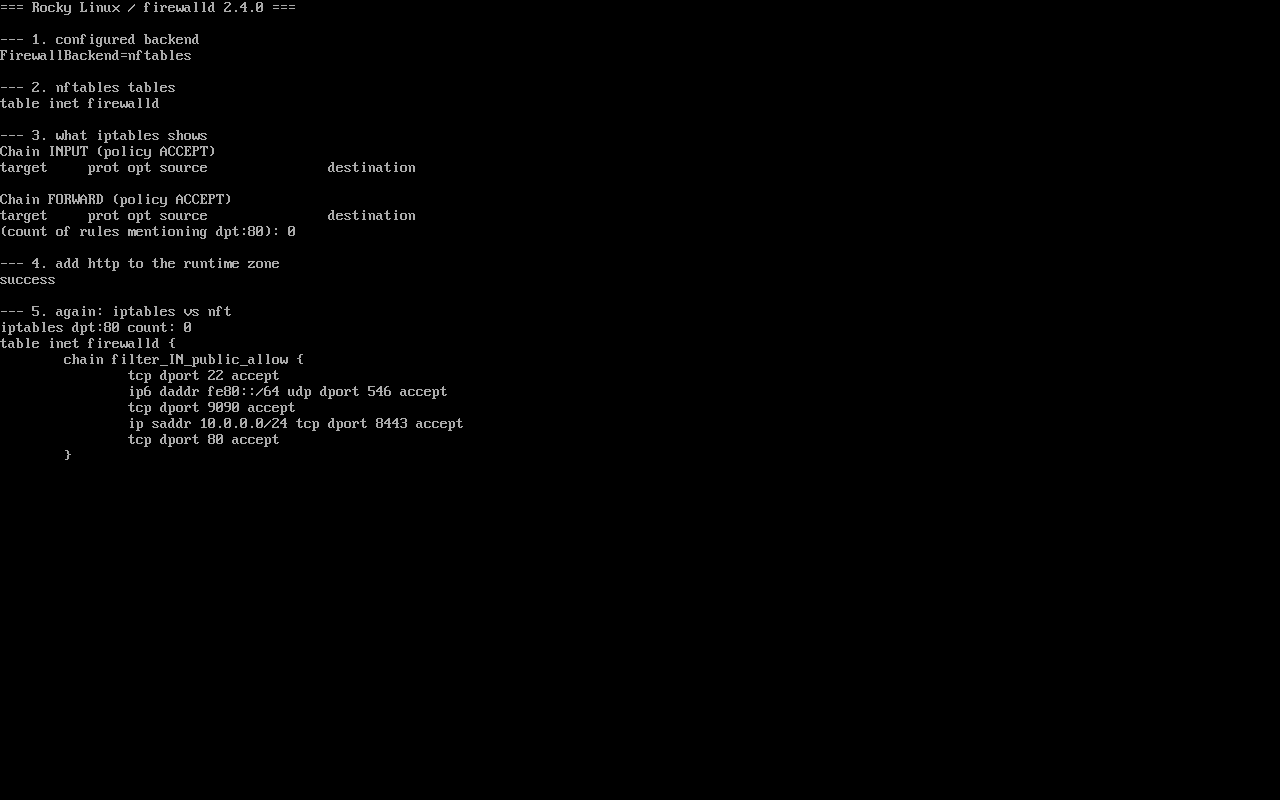
One session covered: read the backend, list both tables, allow a service, compare outputs (screenshot public/evidence/nftables/rocky-iptables-vs-nft.png).
Short version
Section titled “Short version”$ grep -E "^FirewallBackend" /etc/firewalld/firewalld.confFirewallBackend=nftablesOn EL10 firewalld writes into the nftables inet firewalld table. The iptables command still works (provided by iptables-nft) but it edits a different table, which is why iptables -L looks empty.
Two tables, two views
Section titled “Two tables, two views”$ nft list tablestable inet firewalld
$ iptables -nLChain INPUT (policy ACCEPT)target prot opt source destinationnft list tables shows which subsystems registered a table; iptables -nL only reflects iptables-nft’s own chain. They are not the same view of the firewall.
Allow something and compare
Section titled “Allow something and compare”$ firewall-cmd --add-service=httpsuccess$ iptables -nL | grep -c 'dpt:80'0$ nft list chain inet firewalld filter_IN_public_allow tcp dport 22 accept ip6 daddr fe80::/64 udp dport 546 accept tcp dport 9090 accept ip saddr 10.0.0.0/24 tcp dport 8443 accept tcp dport 80 acceptThe allow is live — it just lives in nft. Verifying firewalld through iptables on EL10 is guaranteed to mislead.
Inspection order that works
Section titled “Inspection order that works”firewall-cmd --state— is the service running?firewall-cmd --get-active-zones— which zone owns the interface?firewall-cmd --list-all— what is allowed there?nft list chain inet firewalld filter_IN_<zone>_allow— raw rules, ordering and counters.
Steps 1–3 answer most questions; step 4 confirms a rule really reached the chain.
The iptables backend still exists, do not use it
Section titled “The iptables backend still exists, do not use it”firewalld.conf says it plainly:
# Note: The iptables backend is deprecated. It will be removed in a future release.Switching back only defers the migration; EL10 is the last place the option exists.
Common traps
Section titled “Common traps”- Empty iptables interpreted as no protection —
firewall-cmd --list-allis the answer; - Hand-written iptables rules next to firewalld — both apply, evaluation order is opaque, and reload does not remove them;
- Expecting
--directrules in iptables — they also land ininet firewalld; - Containers — podman creates its own nft tables, so several tables in
nft list tablesis normal.
Practice: three-minute check
Section titled “Practice: three-minute check”sudo firewall-cmd --statenft list tablessudo firewall-cmd --add-service=httpssudo nft list chain inet firewalld filter_IN_public_allow | grep "dport 443"sudo iptables -nL | grep -c "dpt:443"sudo firewall-cmd --remove-service=httpsChecks:
- The second command lists
table inet firewalld; - The fourth matches
dport 443; - The fifth returns 0;
- The last command restores the previous state.
常见问题
Why did EL10 make nftables the default?
nftables is the successor to iptables with a single ruleset, atomic updates and better performance; firewalld has supported it since 0.9 and EL10 makes it the recommended backend.
Do I still need the iptables package?
A minimal install ships no iptables main package, only iptables-nft providing the compatible command. You need it only for legacy scripts that call iptables.
How do I migrate old iptables rules?
Prefer rewriting as firewall-cmd --add-port/--add-rich-rule; for complex sets, capture with iptables-save, map each rule to nft, then verify behaviour.
Next steps
Section titled “Next steps”- Zones: /en/firewalld-zones/
- Rich rules: /en/firewalld-rich-rules/
- Bonding and VLAN: Bonding and VLAN