
Rocky 10: LVM snapshots and merge rollback (tested in a VM)
Test scope
Section titled “Test scope”In a Rocky Linux 10.2 virtual machine (kernel 6.12.0-211.16.1.el10_2, LVM 2.03.36): loop-backed PV/VG/LV with XFS, fsfreeze + lvcreate -s, mount -o ro,nouuid, lvconvert --merge, then remount and verify. Log: plans/content-expansion/evidence/logs/rocky-lvm-snapshot.log.
This is a real EL10 kernel in a VM, not a container sharing the host kernel, so kernel-level snapshot behaviour is trustworthy here.
Why fsfreeze comes first
Section titled “Why fsfreeze comes first”sudo fsfreeze -f /mnt/datasudo lvcreate -y -s -L 300M -n snap /dev/vglab/datasudo fsfreeze -u /mnt/dataXFS keeps a journal: snapshotting a mounted filesystem can capture metadata changes whose data has not reached disk, leaving the snapshot inconsistent. fsfreeze -f flushes and suspends writes; -u resumes.
Skipping fsfreeze does not necessarily fail — the snapshot may mount and still hold inconsistent data. That is worse than an error.
Mount the snapshot read-only with nouuid
Section titled “Mount the snapshot read-only with nouuid”sudo mount -o ro,nouuid /dev/vglab/snap /mnt/snapls /mnt/snapcat /mnt/snap/a.txta.txtbefore-snapshotThe snapshot carries the origin’s XFS UUID, and the kernel refuses two filesystems with the same UUID; nouuid skips that check. Read-only mounting also protects the snapshot from writes.
Change data: the snapshot stays frozen
Section titled “Change data: the snapshot stays frozen”echo "after-snapshot-change" > /mnt/data/b.txtrm -f /mnt/data/a.txtls /mnt/datab.txtThe origin now holds only b.txt, while the snapshot still shows a.txt with before-snapshot — two distinct points in time.
Merge rollback and the EBUSY trap
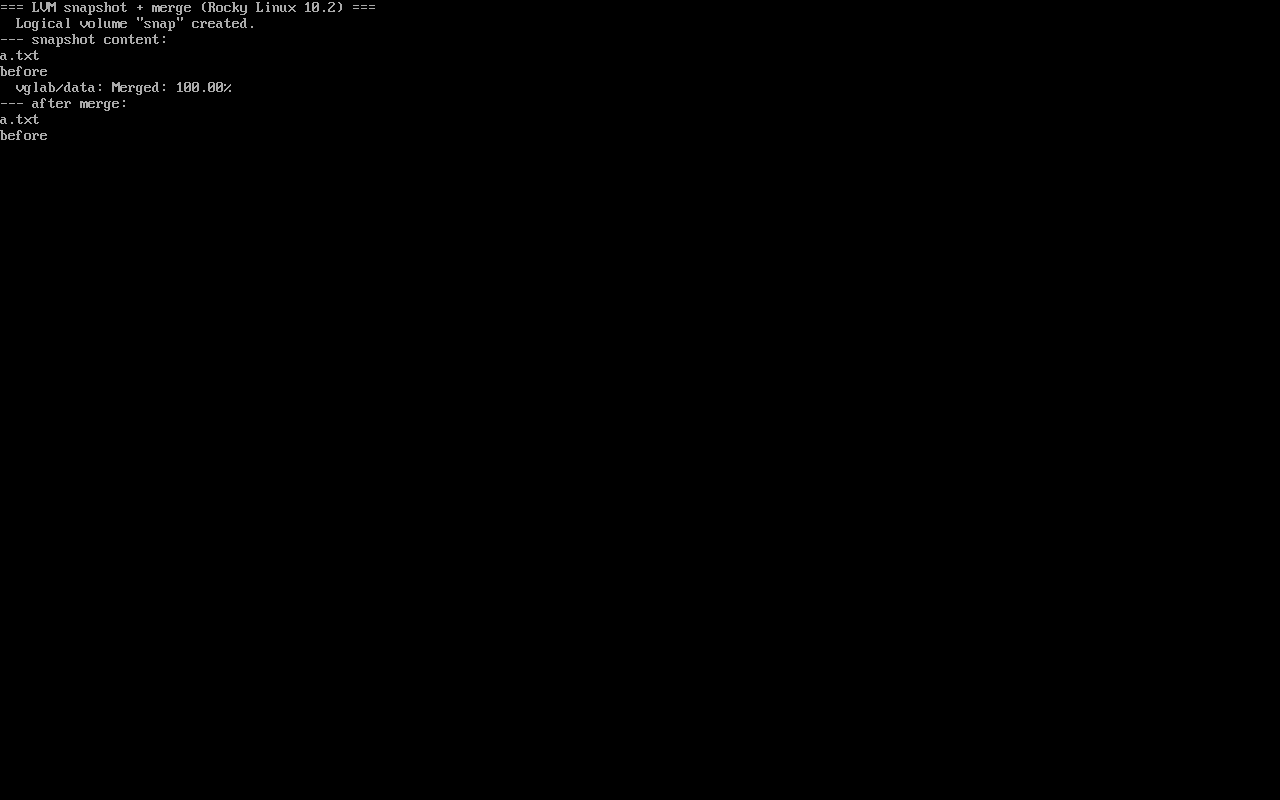
Section titled “Merge rollback and the EBUSY trap”sudo umount /mnt/datasudo lvconvert --merge /dev/vglab/snapsudo lvchange -an vglab/datasudo lvchange -ay vglab/dataMerging of volume vglab/snap started.vglab/data: Merged: 100.00%100% does not mean mountable. In testing, mounting right after lvchange -ay alone gave:
mount: /mnt/data: /dev/mapper/vglab-data already mounted or mount point busy.A full deactivate/reactivate cycle (lvchange -an then -ay) was required before the mount succeeded. This is the most valuable finding on the page — Merged: 100.00% invites you to stop too early.
Verify the rollback
Section titled “Verify the rollback”sudo mount /dev/vglab/data /mnt/datals /mnt/datacat /mnt/data/a.txtls /mnt/data/b.txta.txtbefore-snapshotls: cannot access '/mnt/data/b.txt': No such file or directorya.txt is back and b.txt is gone: every write after the snapshot point was rolled back. Do this step — a merge percentage is not verification.
Playable end-to-end sequence
Section titled “Playable end-to-end sequence”The recording below plays the whole loop in order — build the volume, freeze, snapshot, change data, read the snapshot, merge, reactivate, verify (the .cast is 871 bytes and never autoplays):
文字版(命令与输出) / Text transcript
# 1. build a loop-backed LV for the labtruncate -s 1G /var/tmp/cast.imgpvcreate -y "$L"; vgcreate vglab "$L"; lvcreate -y -L 800M -n data vglabmkfs.xfs -q /dev/vglab/data; mount /dev/vglab/data /mnt/dataecho before > /mnt/data/a.txt
# 2. freeze, snapshot, unfreezefsfreeze -f /mnt/datalvcreate -y -s -L 200M -n snap /dev/vglab/datafsfreeze -u /mnt/dataLV   LSize   Attrdata 800.00m owi-aos---snap 200.00m swi-a-s---
# 3. change the origin, then read the snapshotecho after > /mnt/data/b.txt; rm -f /mnt/data/a.txtmount -o ro,nouuid /dev/vglab/snap /mnt/snapcat /mnt/snap/a.txt      # before
# 4. merge back and reactivatelvconvert --merge /dev/vglab/snapvglab/data: Merged: 100.00%lvchange -an vglab/data; lvchange -ay vglab/data
# 5. verify the rollbackcat /mnt/data/a.txt # beforeCommon traps
Section titled “Common traps”- No fsfreeze: the snapshot may be inconsistent and only fail on restore;
- Mounting without
nouuid: UUID clash; - Mounting right after merge: EBUSY; use
lvchange -an && -ayfirst; - Merging while mounted:
lvconvert --mergerequires the origin unmounted.
Practice: run the whole snapshot cycle
Section titled “Practice: run the whole snapshot cycle”sudo dnf install -y lvm2 xfsprogstruncate -s 2G /var/tmp/snap.imgL=$(sudo losetup -f --show /var/tmp/snap.img)sudo pvcreate -y "$L" && sudo vgcreate vglab "$L"sudo lvcreate -y -L 1G -n data vglabsudo mkfs.xfs -q /dev/vglab/datasudo mkdir -p /mnt/data /mnt/snap && sudo mount /dev/vglab/data /mnt/dataecho before | sudo tee /mnt/data/a.txt >/dev/null && syncsudo fsfreeze -f /mnt/datasudo lvcreate -y -s -L 300M -n snap /dev/vglab/datasudo fsfreeze -u /mnt/datasudo rm /mnt/data/a.txtsudo umount /mnt/data && sudo lvconvert --merge /dev/vglab/snapsudo lvchange -an vglab/data && sudo lvchange -ay vglab/datasudo mount /dev/vglab/data /mnt/data && cat /mnt/data/a.txtChecks:
lvs -o lv_attrshows the snapshot starting withsmount -o ro,nouuidreadsbefore- The merge prints
Merged: 100.00% - After rollback,
cat /mnt/data/a.txtprintsbefore
常见问题
Is fsfreeze mandatory for snapshots?
For journaling filesystems such as XFS and ext4, yes — snapshotting a mounted filesystem without freezing can capture an inconsistent state that only surfaces during restore.
Why does the snapshot mount need nouuid?
It duplicates the origin UUID, and the kernel refuses two XFS filesystems with the same UUID; nouuid skips that check and pairs with ro for read-only access.
What if mount reports EBUSY after a 100% merge?
Run a full deactivate/reactivate cycle: lvchange -an vglab/data && lvchange -ay vglab/data, then mount. Deactivating and reactivating only via -ay was not enough in testing.
Next steps
Section titled “Next steps”- Growing storage: LVM growth
- XFS repair: XFS repair
- rsync backups: rsync incremental backup