
Rocky 10: delegating with /etc/sudoers.d (tested)
Test scope
Section titled “Test scope”In a Rocky Linux 10.2 VM (kernel 6.12.0-211.16.1.el10_2): created a test user, wrote /etc/sudoers.d/lab, validated with visudo -c, audited with sudo -l -U, and ran allowed and disallowed commands as that user. Log: plans/content-expansion/evidence/logs/rocky-sudoers-basics.log.
Why not edit /etc/sudoers directly
Section titled “Why not edit /etc/sudoers directly”/etc/sudoers is the main file; /etc/sudoers.d/ holds drop-ins. One file per purpose is easier to manage with configuration management, and a mistake stays local. The main file must contain @includedir /etc/sudoers.d for drop-ins to load.
A minimal delegation
Section titled “A minimal delegation”sudo useradd -m labusersudo passwd labusersudo printf 'labuser ALL=(root) NOPASSWD: /usr/bin/systemctl status sshd\n' | sudo tee /etc/sudoers.d/labsudo chmod 440 /etc/sudoers.d/labsudo ls -l /etc/sudoers.d/-r--r----- 1 root root 62 ... /etc/sudoers.d/lab-r--r----- 1 root root 84 ... /etc/sudoers.d/90-cloud-init-usersTwo rules: mode must be 440 (sudo rejects world/group-writable files), and the file name must not contain a dot or end with ~ (such files are ignored).
Validate before relying on it
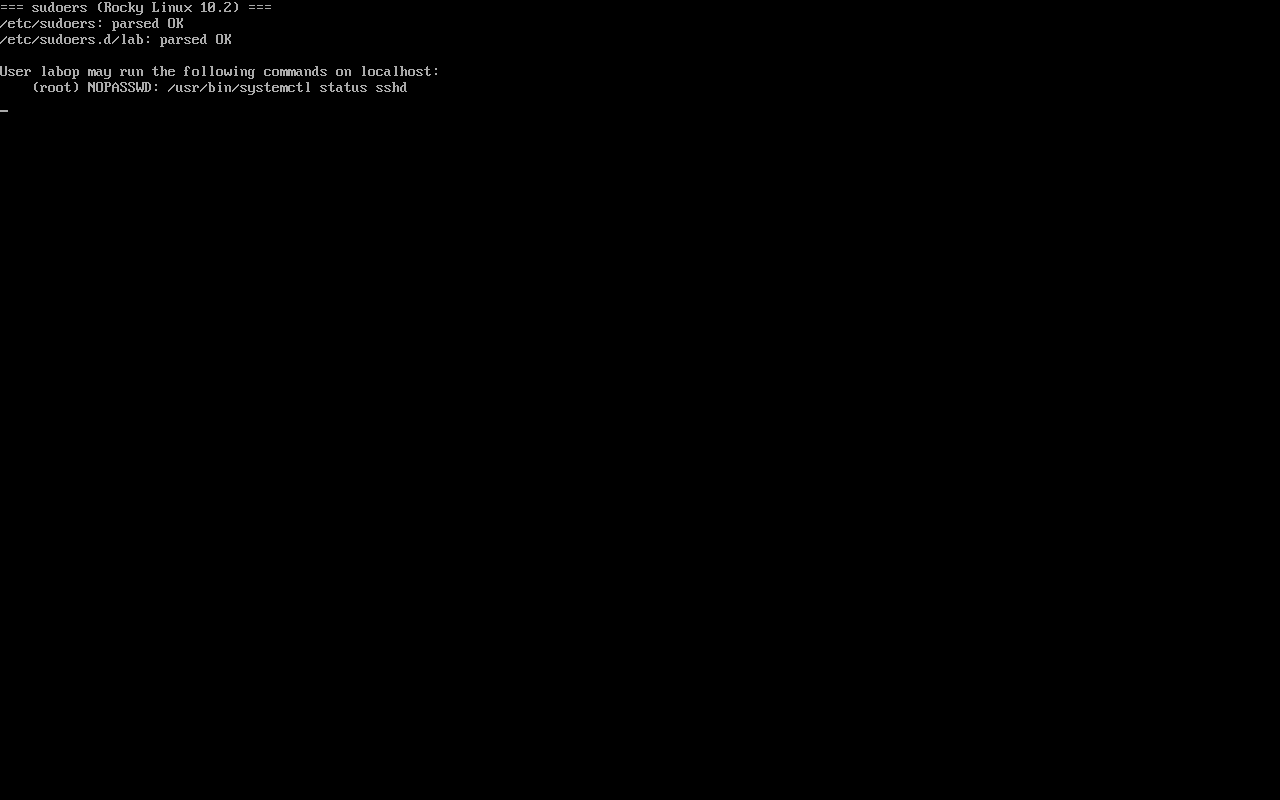
Section titled “Validate before relying on it”sudo visudo -c/etc/sudoers: parsed OK/etc/sudoers.d/90-cloud-init-users: parsed OK/etc/sudoers.d/lab: parsed OKIntroducing a syntax error:
echo "this is bad" | sudo tee /etc/sudoers.d/badsudo visudo -c; echo "rc=$?"/etc/sudoers.d/bad:1:9: syntax errorthis is bad ^~~rc=1rc=1 means a syntax error; remove the bad file immediately — a broken drop-in can make sudo unusable for everyone.
Audit who can do what
Section titled “Audit who can do what”sudo -l -U labuserUser labuser may run the following commands on rocky10-lab: (root) NOPASSWD: /usr/bin/systemctl status sshdsudo -l -U audits grants without switching users or knowing passwords — safer than trying commands one by one.
Measured: allowed runs, disallowed is refused
Section titled “Measured: allowed runs, disallowed is refused”su - labuser -c 'sudo -n /usr/bin/systemctl status sshd | head -2'su - labuser -c 'sudo -n /usr/bin/id'● sshd.service - OpenSSH server daemon Loaded: loaded (...)sudo: a password is requiredThe listed command runs directly; anything else falls back to a password prompt, which fails for a user without one. That is least privilege working.
Common traps
Section titled “Common traps”- Mode is not 440: sudo ignores the file and the grant never applies;
- Dotted file names:
lab.confis skipped; uselabor90-lab; - Skipping validation: rc=1 from
visudo -cmust be fixed or sudo breaks globally; - NOPASSWD on bare
systemctl: that grants control over every service; scope it to a subcommand and a unit.
Practice: allow restarting exactly one service
Section titled “Practice: allow restarting exactly one service”sudo useradd -m labuser && sudo passwd labusersudo printf 'labuser ALL=(root) NOPASSWD: /usr/bin/systemctl restart chronyd\n' | sudo tee /etc/sudoers.d/labsudo chmod 440 /etc/sudoers.d/labsudo visudo -csudo -l -U labusersu - labuser -c 'sudo -n /usr/bin/systemctl restart chronyd'su - labuser -c 'sudo -n /usr/bin/systemctl restart sshd'Checks:
visudo -creports parsed OK for all filessudo -l -Ulists only restart chronyd- The first
sucommand succeeds - The second fails with
a password is required
常见问题
Why is my sudoers.d file ignored?
Usually one of three: mode is not 440, the name contains a dot, or the main file lacks @includedir /etc/sudoers.d. Confirm with visudo -c first.
What is risky about NOPASSWD on systemctl?
It lets the user start and stop any service (including editing unit definitions). Scope it to a subcommand and a unit such as systemctl restart chronyd.
How do I recover from a broken sudoers?
As root, delete the bad drop-in or fix it with visudo; do not rely on sudo itself, and use rescue mode when necessary.
Next steps
Section titled “Next steps”- SELinux basics: SELinux basics
- Network triage: Triage network problems by symptom
- Post-install checks: 7 checks after install